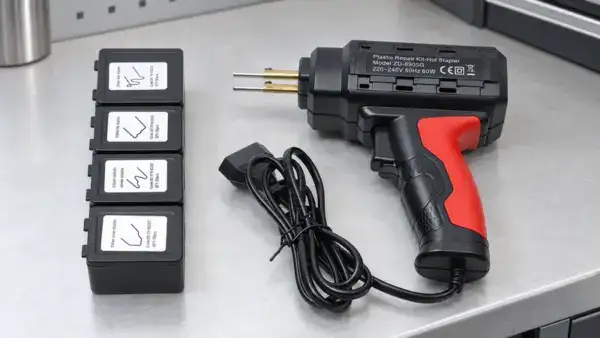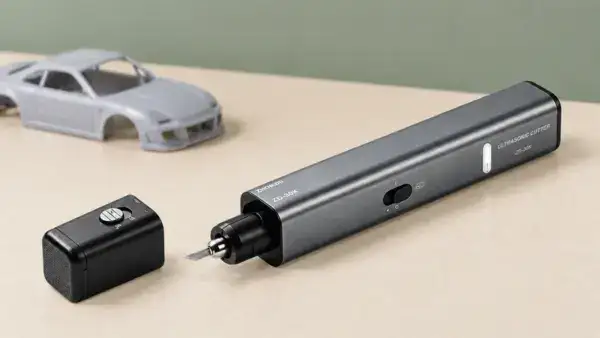
A soldering iron should anchor a retail range that needs familiar handheld choices, while a soldering gun can occupy a separate set-led position for shoppers seeking a pistol-grip, quick-heat product. Zhongdi’s current range also gives retailers a third route: a USB-C soldering iron with adjustable temperature and a digital display. The best assortment therefore depends on the exact SKU, electrical version, pack format and product data that the retailer can support.
A search summary can explain the basic physical differences between a soldering iron and a soldering gun in seconds. Retail purchasing begins with the decisions that follow. This guide turns verified Zhongdi product information into a range structure, listing checklist and quotation brief for European and North American channels.
What a search summary leaves for retail buyers to decide
The familiar comparison of shape, heat and typical use helps a shopper recognise the two tools. A retail buyer needs a wider decision frame because a product range must remain clear from the purchase order through the product page and replenishment cycle. Six questions create that frame.
- Range role: Decide whether the product is a core handheld iron, a separate soldering-gun set or a compact digital option.
- SKU identity: Keep the exact model connected to every power, voltage or input choice.
- Market version: Map mains-voltage variants or DC input details to the intended channel.
- Included items: Show only the components confirmed for the exact product.
- Pack and replenishment: Record the package type, bulk-pack route and carton quantity supplied for the model.
- Listing control: Align images, specifications and certification wording with the ordered version.
Create separate product routes before selecting SKUs
Zhongdi groups both formats within its Soldering Iron, Gun & Tip category, with dedicated Soldering Gun and Soldering Iron subcategories. Retailers can mirror this logic in navigation and then separate conventional mains-powered irons from USB-C models inside the iron route.
This hierarchy gives each product a recognisable role before wattage and accessories enter the comparison. Category names, shelf labels and filters should identify the format first. The individual product card can then present the verified variant, input, package and supplied items.
| Search-level topic | Retail buying question | Product data to verify |
| Tool format | Which customer route will this SKU occupy? | Gun, conventional handheld iron or USB-C iron |
| Power | Does each power option need its own SKU? | Exact model-level wattage option |
| Electrical input | Which version belongs in each target market? | Mains-voltage range or DC input range |
| Product contents | What can the listing image and copy show? | Only items confirmed for the exact product |
| Packaging | How will the item be presented and replenished? | Package type, bulk-pack route and carton quantity |
| Certification | Which wording applies to the selected model? | Exact model-level statement |
Use ZD-507F as a set-led soldering gun option
The ZD-507F Quick Heat-Up Soldering Gun Set gives the soldering-gun route a clearly defined retail proposition. Zhongdi lists quick heat-up, 100W and 150W power options, and 110-130V and 220-240V voltage options. Its official configuration includes two soldering tips, 5 g of soldering wire and rosin.
The plastic box and carton quantity of 10 sets make the pack format part of the buying decision. Ecommerce imagery and copy should keep the gun, case and confirmed supplied items connected to the exact ZD-507F offer. Power and voltage options should appear as distinct variants in the retailer’s product data, because a single undifferentiated listing can create fulfilment and market-version errors.
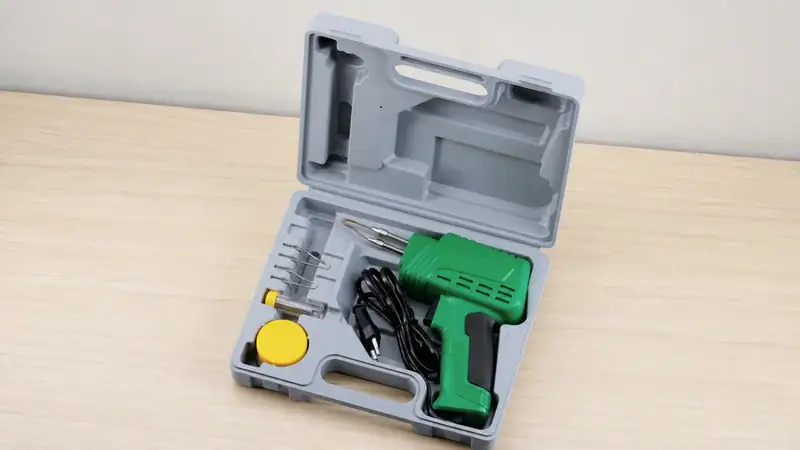
ZD-507F is also listed with CE and RoHS information. Retail content should apply that wording to this verified model and its correct version. Broad category-level certification statements can create ambiguity when a range contains several models.
Use ZD-707C as the conventional handheld iron
The ZD-707C Handheld Soldering Iron provides a familiar pencil-style route. Zhongdi identifies a mica heating element, 30W and 40W output-power options, 110-130V and 220-240V input-voltage versions, and interchangeable C1 tips. These fields give buyers a clean basis for separating product variants.
Packaging data changes how the model should be handled by retail operations. The official page identifies blister packaging and bulk-pack options of 50 or 100 pieces. The shopper-facing listing should show the actual offer, while the purchasing record should preserve the ordered pack route and carton information. This keeps listing copy, stock records and replenishment aligned.
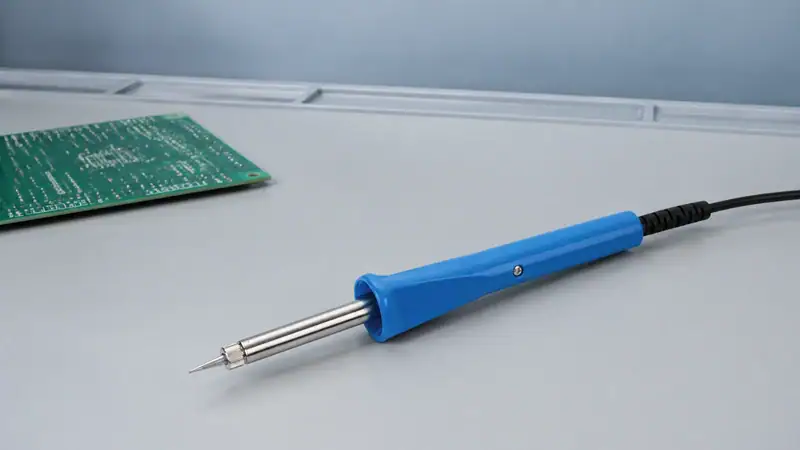
The page states that CE-certified models are available. A retailer should carry the exact model-level certification wording into product content and quotation records. The phrase should stay attached to the corresponding version.
Use ZD-451 as a compact digital iron
The ZD-451 USB-C Soldering Iron adds a distinct technology-led route inside the soldering-iron category. Zhongdi lists PD/QC support, a 60W maximum rating, DC 9-20V input and an adjustable temperature range of 160°C to 480°C. The product also has an intelligent LED display and a listed iron-only weight of 62 g.
Its official gallery shows the iron with a PD cable and weighted stand. Those visible components should remain tied to the verified ZD-451 presentation and the final ordered configuration. The gift-box package and carton quantity of 20 pieces are useful for retail planning because they affect product-page imagery, inventory records and replenishment units.
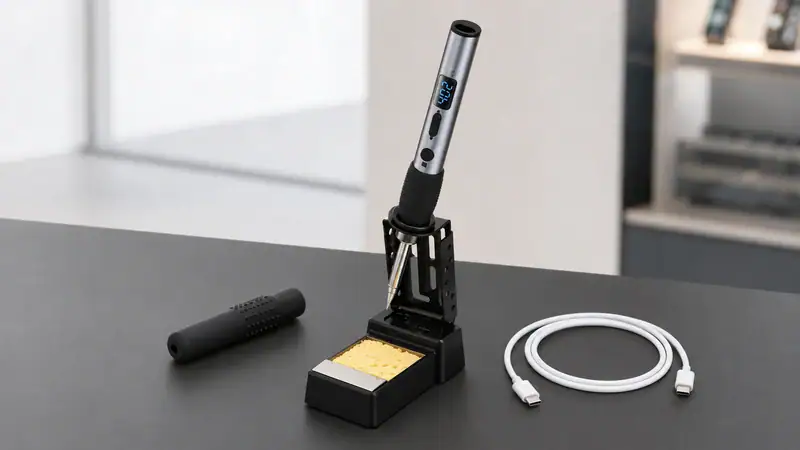
The product card should state USB-C input early and keep the DC input range, maximum rating and temperature range together. This creates a clear digital-iron choice next to the conventional ZD-707C route and prevents customers from treating every pencil-style iron as the same electrical product.
Compare verified SKU fields
The most useful comparison table for a retail buyer goes beyond a generic gun-versus-iron answer. It should capture the fields that change the purchase order, market assignment, product page and replenishment plan. The three Zhongdi models below illustrate how much the configuration can vary within the same broad category.
| Product route | Verified Zhongdi example | Key buyer-evaluation points | Package and carton information |
| Soldering gun | ZD-507F | Quick heat-up; 100W / 150W options; 110-130V / 220-240V options; 2 tips, wire and rosin listed | Plastic box; 10 sets per carton |
| Handheld soldering iron | ZD-707C | Mica heater; 30W / 40W options; 110-130V / 220-240V versions; interchangeable C1 tips | Blister; bulk pack of 50 or 100 pieces |
| USB-C soldering iron | ZD-451 | PD/QC support; 60W maximum; DC 9-20V; 160°C-480°C adjustable range; intelligent LED display | Gift box; 20 pieces per carton |
Build the assortment around three defined roles
A compact range can cover three distinct shopping paths with one verified model in each role. Wider assortments can add models later while preserving the same navigation logic. This reduces duplicate listings and gives retail staff a consistent way to explain the range.
| Range role | Verified example | Why it earns a separate position | Fields that must stay visible |
| Set-led soldering gun | ZD-507F | Pistol-grip, quick-heat format with confirmed set contents | Power, voltage, supplied items, plastic box, carton quantity |
| Conventional handheld iron | ZD-707C | Mains-powered pencil format with mica heater and C1 tip system | Power, voltage, C1 tips, blister or bulk pack |
| Compact digital iron | ZD-451 | USB-C input, adjustable temperature and intelligent LED display | PD/QC, DC input, maximum rating, temperature range, gift box |
Control SKU data before the products go live
A disciplined data sheet protects the range from variant confusion. Retail buyers, ecommerce teams and warehouse teams should work from the same model-level fields. The product title can stay concise, while specifications, filters and trade records carry the details needed for accurate selection and fulfilment.
- Create a unique SKU for each ordered power and voltage or input combination.
- Record the exact model name and product format in the item master.
- Keep confirmed supplied items in a dedicated field instead of a generic category description.
- Separate shopper-facing package information from trade-facing carton quantity and bulk-pack data.
- Store tip-system information only where the exact product page confirms it.
- Attach certification wording to the applicable model and version.
Use a launch checklist for listings and merchandising
The product page should help customers identify the correct route first and evaluate the exact SKU second. A consistent launch check also gives store teams and marketplace managers a common standard for content approval.
- Use the product format in the category path, filter and product-card title.
- Show the exact variant in the specification block: power plus mains voltage, or maximum rating plus DC input.
- Use a first image that matches the product and confirmed package configuration.
- List supplied items exactly as identified for the model.
- Keep package type, bulk-pack option and carton quantity available to the retail purchasing team.
- Review every marketplace feed after variant mapping to confirm that images and specifications still match.
Prepare a precise quotation brief
A concise quotation request speeds up the buying discussion because it identifies the variables already shown on the official product pages. The buyer can confirm the product route and then state the required version, pack and market context.
- Which exact model or models are required?
- Which mains-voltage version or DC input route fits the target market?
- Which listed power option is required for each SKU?
- Which package format or bulk-pack route is being quoted?
- What carton quantity applies to each selected product?
- Which confirmed tips, cable, stand, wire, rosin or other supplied items belong to the requested configuration?
- Which product details must appear in the retailer’s product data and packaging discussion?
Plan the range around verified differences
A strong retail range turns the broad soldering iron versus soldering gun comparison into three practical choices: a case-packed soldering gun set, a conventional mains-powered handheld iron and a digital USB-C iron. Exact model data then controls market version, product content, inventory records and replenishment.
Looking for a reliable soldering gun and soldering iron manufacturer? Partner with Zhongdi
Zhongdi supports importers, distributors and brand owners with soldering guns, handheld soldering irons and USB-C soldering irons. Contact Us to discuss product selection, pricing, packaging and target-market requirements for your channel.